
Management
The Customers feature allows you to manage all your customer information in one centralized location. This includes company information, contact details, and project associations.
How to Manage Customers
- Accessing the Feature:
- Navigate to the "Customers" tab from the main dashboard.
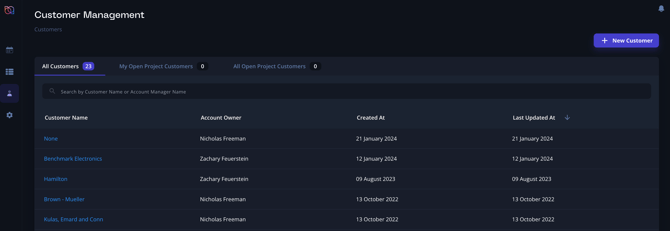
- Add New Customer:
- Click on the "Add Customer" button.
- Fill in the necessary information such as customer name, contact details, and any relevant notes.
- Save the information to add the customer to your database.
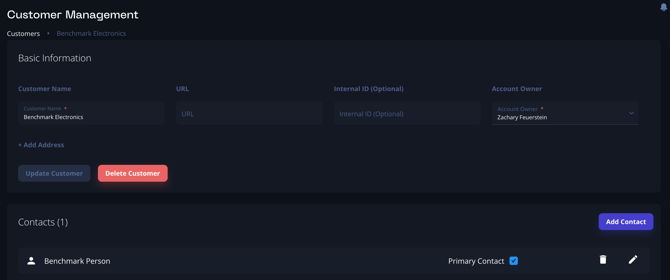
- Edit Customer Information:
- Select a customer from the list.
- Click on the "Edit" button to update contact details, notes, or any other relevant information.
Bulk Upload
- Contacting Support (support@breadboard.com):
- If you have a large amount of customer data to upload, contact Breadboard support for assistance.
- The following information is helpful when uploading a list of customers:
- Customer Internal ID
- Customer Name
- Customer URL
- Contact First Name
- Contact Last Name
- Contact Phone Number
- Contact Email Address
- Contact Title
- Contact Internal ID
- The following information is helpful when uploading a list of customers:
- Provide the support team with the data files in the required format.
- If you have a large amount of customer data to upload, contact Breadboard support for assistance.
- Backend Upload:
- The support team will assist in uploading the data through the backend, ensuring all information is correctly imported and formatted.
- Verification:
- After the upload, verify the data to ensure accuracy and completeness.