
Once you've allocated all your line items, you will want to export the data to Excel for use elsewhere. Breadboard offers several export formats to suit your needs, including standard and customizable templates.
Exporting Data
Standard Export Formats
- Batch Sheet: ◦ Creates a separate sheet for each batch size, making it easy to manage and analyze different production volumes.
- Purchase Order: ◦ Generates a sheet for each supplier you are buying from. You will need to specify the batch size for this export format.
- Raw Data: ◦ Provides all the underlying data that supports your quote, giving you a comprehensive view of all the details.
- Other: ◦ You can create as many custom export templates as you'd like to fit your specific requirements.
How to Export Data
- Allocate Line Items: ◦ Ensure all your line items are allocated correctly within your BOM or project.
- Select Export Format: ◦ Choose one of the standard export formats (Batch Sheet, Purchase Order, Raw Data) or select a custom export template.

3. Generate the Export: ◦ Click on the export button and Breadboard will generate the data in your chosen format.
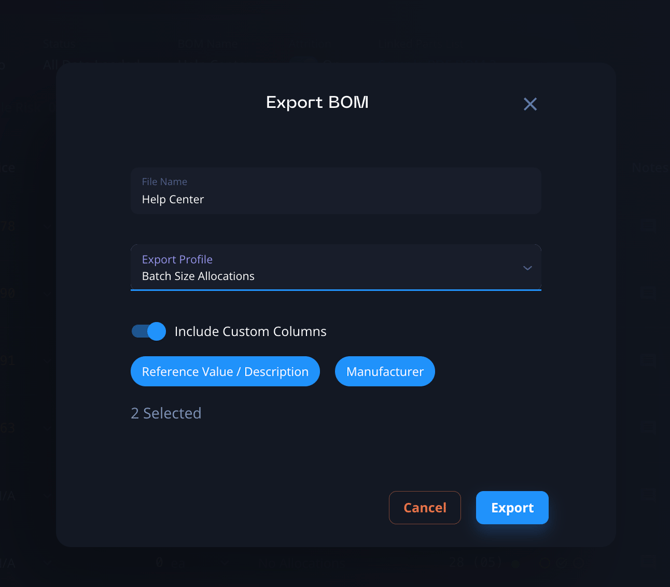
4. Save or Open the Exported File: ◦ Save the exported file to your computer or open it directly in Excel for further use and analysis.
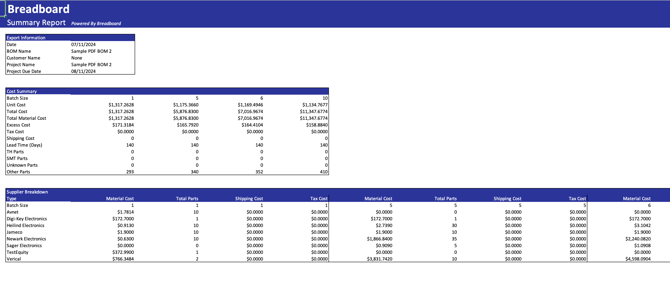
Custom Export Templates
Breadboard also allows you to create custom export templates to perform specific calculations and generate detailed reports that meet your unique needs.
How to Create Custom Export Templates:
- Navigate to the Export Templates: ◦ Go to the Export Templates section in the Breadboard platform.

2. Create a New Template: ◦ Add the columns and data points you need. ◦ Insert custom formulas and calculations as required.
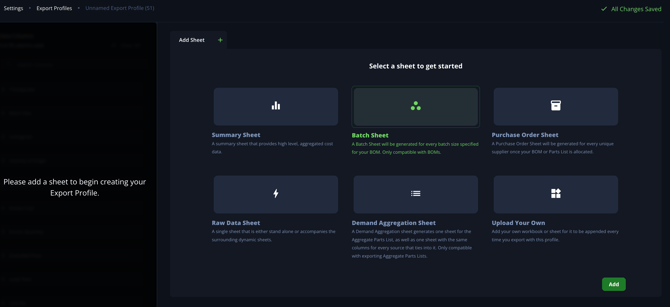
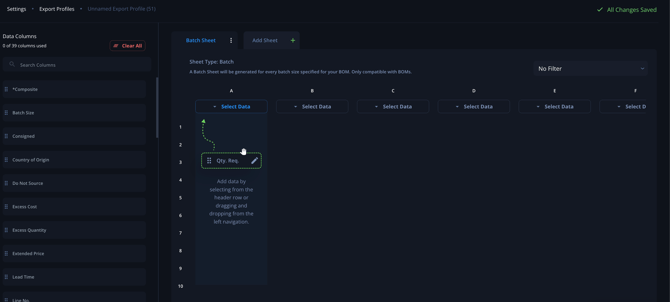
- Save and Apply Template: ◦ Save your customized template for future use. ◦ Apply the template to your current BOM or project.
Tips & Tricks
Exports can be built on formulas to leverage any existing quote templates you might use.
- Labor and Margins in Excel:
- If your labor and margins are calculated in Excel, you can integrate these calculations into your Breadboard export templates.
- This removes the need for copying and pasting data back and forth, streamlining your workflow.
For assistance in setting this up or any other support, reach out to our support team via support@breadboard.com or use our support chat within the Breadboard platform. We’re here to help you get the most out of your Breadboard experience.